You’ve been grooving to your favorite Spotify playlist, every beat, every lyric. But what if one day you open your app and the songs you downloaded to play offline are not there? This means no more offline access to music and no more saved tracks. This might feel frustrating, right?
But you don’t have to worry anymore about your Spotify premium being expired, as we have got you the best tool to enjoy listening to music offline. It’s a lifesaver whether you’re on a long flight, stuck in a no-network zone, or just trying to save data, having your favorite tunes ready to play is a lifesaver.
So, let’s delve in and learn the truth, as well as see how a Spotify downloader can give you full control of your music. If you want to download Spotify songs and save them forever, this guide is for you!
Table of Contents
Understanding Spotify’s Offline Mode
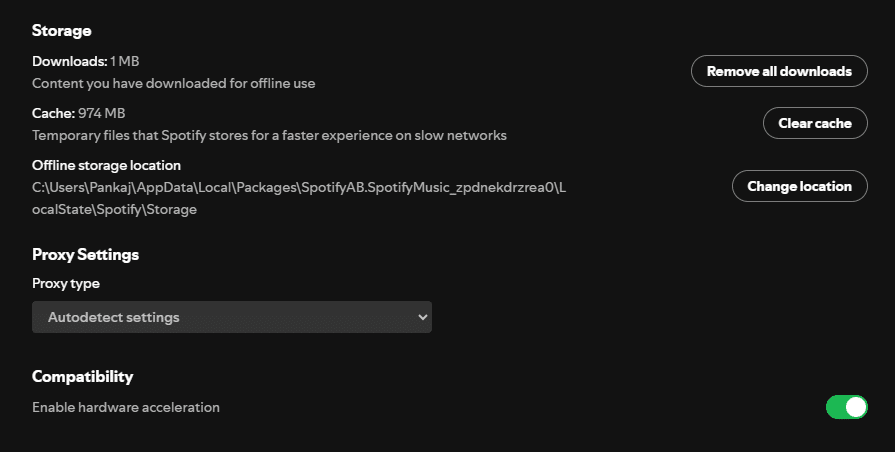
Have you ever hit play on your favorite Spotify track only to find yourself stuck in a dead zone with no internet? Spotify’s offline mode comes in handy in that case! As a Premium user, you can download music from Spotify and listen to your favorite tracks without an internet connection. The catch is that those downloads aren’t yours to keep.
What Is Spotify’s Offline Mode?
When you hit the download button on Spotify, you don’t get an MP3 file. Spotify saves all of your downloaded songs in encrypted cache files that can only be accessed by the Spotify app, whether online or offline. It’s like renting rather than purchasing a permanent download. However, as soon as you stop paying for the Spotify premium, your songs will disappear.
What’s the Difference Between Streaming and Downloading on Spotify?
Streaming is when you play your favorite music with an internet connection, and they are not accessible without a reliable internet connection. However, downloading is when you temporarily download an encrypted file within the Spotify app for offline listening. Still, the con is that you can only listen to downloaded music till your Spotify premium lasts.
So, if you are searching for a way to download songs from Spotify and keep them forever, you are out of luck unless you are a user of a Spotify downloader to MP3.
How to Keep Your Spotify Music Forever? Here’s the Solution!
A Spotify music downloader is needed if you don’t want to lose your downloads when your subscription ends. Converting Spotify songs to MP3 is easily possible with the right tool, saving you to your device, and you can listen to them whenever and wherever you want without any restrictions.
What Happens to Your Downloaded Songs After Cancelling Spotify Premium?
Why should Spotify decide when you can listen to your favorite music? With a Spotify downloader MP3, you gain control over your Spotify music downloads!
But since you’re enjoying your favorite playlists offline with Spotify Premium, you’re now considering canceling your subscription. The question is, do the songs you download from Spotify stay on your device?
Well, the bad news is, the moment your Spotify Premium ends, so do your offline songs. Poof! Gone. There are no warnings, no grace period—just an empty library.
Why Does This Happen?
You don’t actually own the music you download on Spotify. Instead, it locks your downloads inside the app using DRM protection (Digital Rights Management). So, in other words, you can’t use them unless you’re signed into Spotify, and once your Premium subscription expires, they become completely worthless.
Can You Keep Your Downloaded Spotify Songs Forever?
Yes! To download music from Spotify and keep it forever, you will need a Spotify downloader for MP3. If you have the right Spotify music downloader, you can convert your Spotify songs into MP3, store them on your device, and listen whenever you want without having to subscribe.
Farewell to the lost tracks! A Spotify song downloader gives you control over your music so that you no longer have to rely on Premium anymore.
Can You Keep Downloaded Songs Without a Subscription?
When your Spotify Premium expires, your downloaded songs are gone. That’s right! Spotify locks up everything you’ve spent hours curating the perfect playlists with an active subscription. Frustrating.
However, don’t fret — you can take hold of your music library and keep your favorite tracks forever. Here’s how:
Renew your Spotify Premium subscription: The easiest (and most expensive) method to regain access to your downloaded songs is to re-subscribe. Now, why pay when you can have a permanent solution?
A Spotify Music Downloader: Do you enjoy having your music library on your device? Then using a Spotify downloader to get MP3s from Spotify is one of the best options. Spoty downloader not only helps you download your favorite music, but it also allows you to listen to the downloaded song anytime, anywhere, and without any limitations.
Check Out Other Music Platforms: Some platforms allow you to purchase and keep the songs instead of renting them through a subscription. However, why should you change when you can use a Spotify song downloader to save your favorite tracks?
If you are tired of losing your downloads every time your subscription has ended, it’s time to try a free Spotify music downloader and enjoy true music freedom!
How to Save Your Favorite Music Before Cancelling Spotify Premium
Have you been thinking of canceling your Spotify Premium subscription? Before you do that cancel button, let’s see if you don’t lose your favorite tracks. After your subscription expires, your downloads disappear. Don’t worry, though. You can save your music forever!
Create Playlists for Easy Access
The first thing to do is to create playlists of your favorite songs. That way, if you decide to come back to Spotify later or switch to another platform, you will already have everything set up.
Explore Other Music Services
If you are looking for other alternatives, you can stream your favorite tracks through platforms like YouTube Music, Apple Music, or Amazon Music. However, remember, you don’t actually own these downloads like you do with Spotify.
You can use a Spotify MP3 Downloader for Unlimited Access.
Want a permanent solution? A Spotify downloader to MP3 is a tool to download songs from Spotify and save them as MP3 files so that you can listen offline whenever, on any device, without limits. Unlike Spotify’s built-in downloads, when your subscription ends, your music disappears. Using a Spotify music downloader means you have full control over your music library.
Looking for the best tool? The perfect way to download your favorite tracks as MP3 and keep them forever is with a free Spotify music downloader!
How to Download Your Favorite Spotify Songs with Spoty Downloader
Spoty Downloader is here if you want to save your favorite songs forever or want to cancel your Spotify Premium subscription. Unlike Spotify’s built-in download feature, Spotify Downloader allows you to download Spotify songs and save them as MP3 files without having to subscribe to Spotify. By doing this, you can continue listening to your preferred music even after your subscription expires!
Below is how you can download Spotify songs using Spoty Downloader.
Step 1: Search for your favorite song or playlist on Spotify
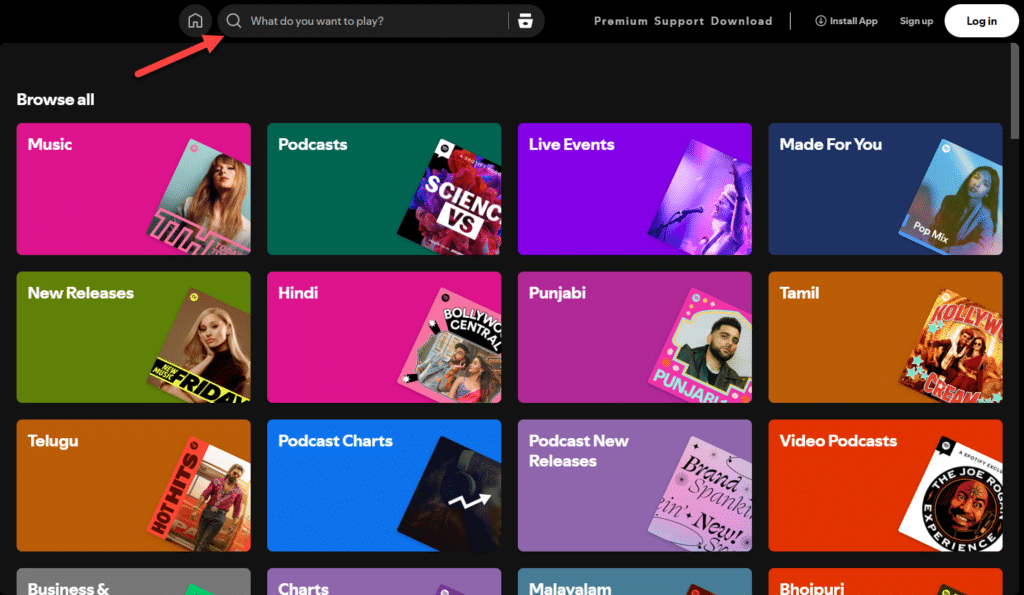
Browse to the song, playlist, or album you want to download on your Spotify app or desktop version. Click the Share button once you have found the track(s) you want.
Step 2: Copy the Spotify Link
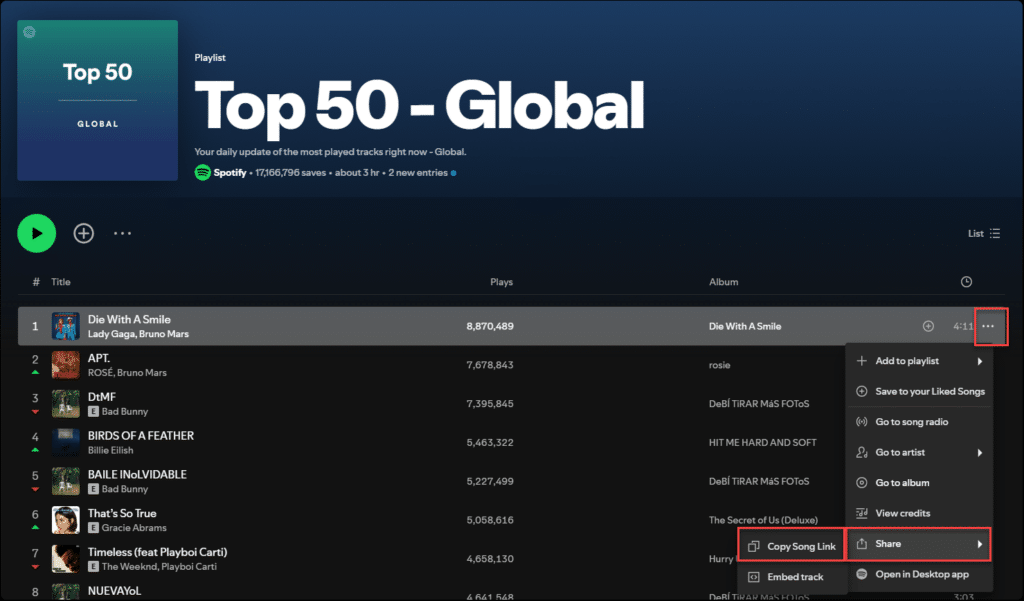
Click on the Copy Link in the Share menu. It will copy the unique URL of the song or playlist you want to download.
Step 3: Visit Spoty Downloader
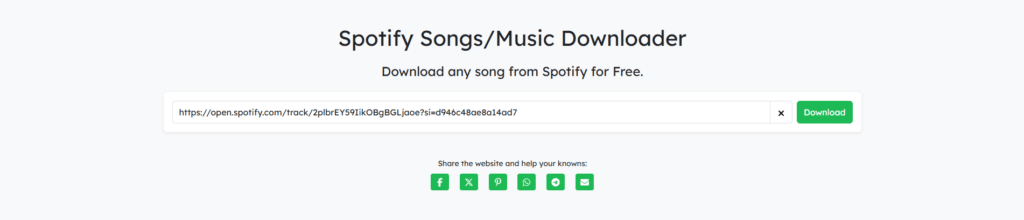
Open a browser and visit the Spoty Downloader website. You will see a box where you can Paste the copied Spotify link.
Step 4: Paste the Link and Click Submit
Now, copy the copied Spotify link and paste it into the box provided on the Spoty Downloader site. After pasting the link, click the Submit button.
Step 5: Start the Download
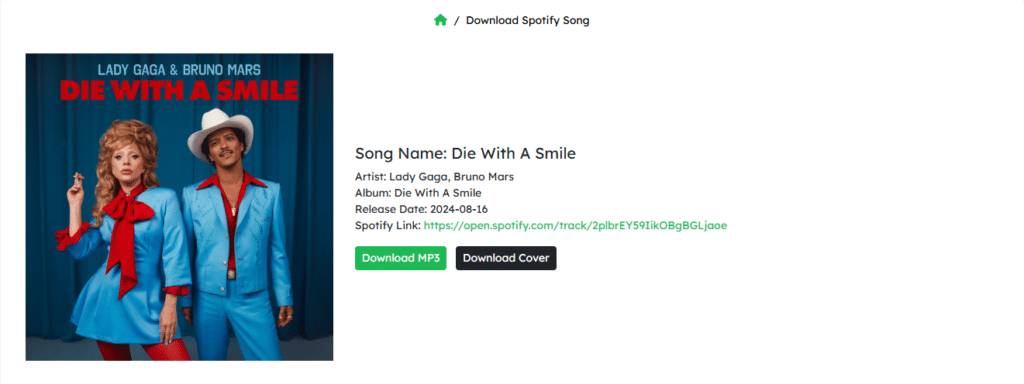
Click the Download MP3 button after the link is processed. The downloaded song will be stored in your Downloads folder or the location you selected.
Step 6: Enjoy Your Music Offline
After the download is completed, the MP3 file will be saved to your computer. You can now play the song anytime, even without an internet connection, as you open your music player and have full access to the song.
Spoty Downloader enables you to download songs from Spotify and convert them to MP3 format so you can listen to your favorite music without fear of losing access when your subscription ends. It’s that simple and efficient!
Conclusion
So, there you have it! The truth about Spotify downloads is out: once your Premium subscription expires, all those precious songs you downloaded disappear into thin air. Don’t worry. However, there is a solution that returns YOU in control of your music. Using a Spotify downloader MP3 allows you to download songs from Spotify and save them forever without having to subscribe or face restrictions.
Are you ready to take ownership of your music library? Visit Spoty Downloader to prevent your Spotify downloads from disappearing and listen to your favorite tracks anytime, anywhere!
FAQs
Is Spotify Premium important for downloading songs?
No, you can download your favorite Spotify song without Spotify Premium. All you have to do is visit the Spoty downloader website and paste the link to your favorite Spotify song. Click download, and your Spotify song is ready to be listened to.
Does Spoty Downloader work on mobile devices?
Yes! Users can access our tool through PCs and Macs as well as Android and iOS platforms to download music anytime and anywhere.
Is Spoty Downloader safe to use?
Yes! Spoty Downloader provides users with a protected platform that does not contain any malicious software. The music download service enables users to access their preferred songs while maintaining complete security.
How fast is Spotify song downloader?
Our Spotify song downloader is extremely fast and allows users to download songs within seconds. Our advanced technology ensures a seamless and smooth downloading experience so that you never have to worry about waiting for the internet to be around music.